Orders placed online and which are over $299 ex gst are delivered freight free anywhere in Australia. Offer is valid until 31 December 2026 and excludes: (i) orders involving chemicals and (ii) orders involving oversized items such as safety cabinets, ovens, incubators, trolleys etc. Such items are highlighted on our website.
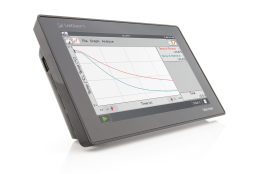
LabQuest Viewer is computer software that displays and controls the screen of a LabQuest 3 or LabQuest 2 using a computer. When used in conjunction with a projector, this software can be used to demonstrate the functions of LabQuest and to enhance group presentations. This software can also be used to monitor student use of LabQuest devices in your lab, view and control a LabQuest remotely, and easily capture LabQuest screen images for use in lab instructions or assessment questions.
Use LabQuest Viewer in the classroom to:
View and control one or more LabQuest devices from a computer
Use with a projector or interactive white board for class demos and student presentations
Display live images of all LabQuests in your lab to monitor student progress throughout the lab
Select up to four LabQuest devices for side-by-side comparison of experimental results from different lab groups
Capture and share screenshots of the LabQuest screen for use in lab instructions and assessment questions
Set customizable permissions that permit viewing without control, or password-protect a connection
Install LabQuest Viewer on any computer in your school or college department with the included site license
If you want to control LabQuest from a iPad, you will need to purchase LabQuest Viewer for iPad app »
Download Version Available
LabQuest Viewer is available as a download. Purchase the download and we will send you a link after we have processed your order.