Orders placed online and which are over $299 ex gst are delivered freight free anywhere in Australia. Offer is valid until 31 December 2026 and excludes: (i) orders involving chemicals and (ii) orders involving oversized items such as safety cabinets, ovens, incubators, trolleys etc. Such items are highlighted on our website.
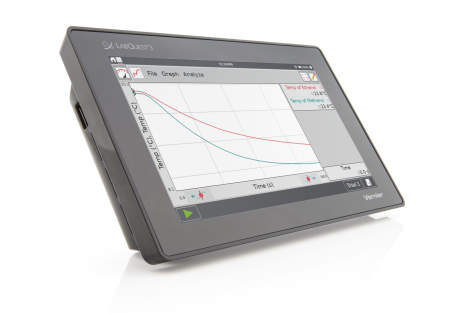
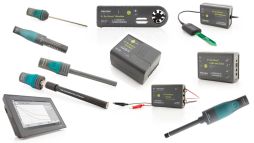
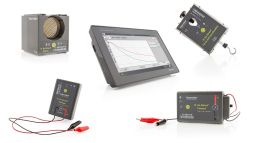
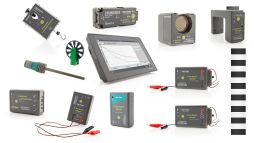
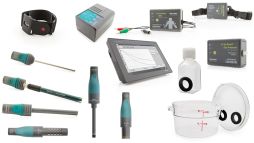
LabQuest 3 is a powerful, advanced, easy-to-navigate, and versatile data-logging solution for STEM students. The built-in data-collection and analysis app works with all Vernier sensors, supporting hands-on data collection in the classroom, in the lab, and in the field.
LabQuest 3 includes a Micro USB Cable and LabQuest 3 Power Supply.
The all-new LabQuest 3 is a standalone data-collection platform that students can use to collect, analyze, and interact with data efficiently. With its new capacitive touch screen, students can navigate the platform with ease, and because of its wireless capabilities, students can collect data anywhere with LabQuest 3.
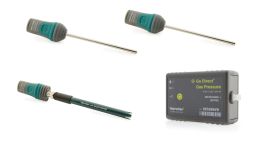
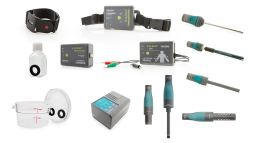
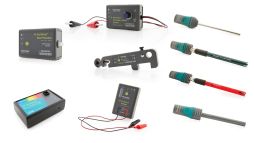
Connects wirelessly to the entire family of Go Direct sensors
Easy-to-use platform enables students to generate graphs and analyze results
An excellent choice for laboratories, classrooms, or in-the-field investigations
Key Features
Full-featured data-collection platform
Compatible with all Vernier sensors
Large, high-resolution colour screen
Touch navigation utilising gestures
Fast data collection with 100,000 samples per second
Rechargeable, high-capacity battery
Built-in GPS and microphone
Wireless connectivity with Wi-Fi and Bluetoothwireless technology
Built-in apps include Calculator, Periodic Table, Sound Recorder, Stopwatch, and more
Student instructions for over 75 of our most popular experiments included
Connectivity to Chromebooks, Computers, iPad tablets, and Mobile Devices
Students can share real-time data with multiple devices for a truly hands-on, collaborative learning experience. Use LabQuest 3 to transfer data wirelessly to computers, Chromebooks, or mobile devices running Graphical Analysis.
USB Sensor Interface
If you want to use your own computer or Chromebook to collect data, use LabQuest 3 as a conduit between our LabQuest sensors and these devices. LabQuest 3 works as a USB sensor interface with the Logger Pro software or Graphical Analysis app.
Accessories and Replacement Parts available by request.
Touch navigation utilizing gestures, including the following. For a full list, see the user manual.
Single tap—Use a single tap to interact with most objects on the device.
Touch and drag—Use touch and drag to select regions on a graph or to scroll through menus.
Long Press—Use the long press to activate special functionality on some objects such as holding down the keyboard shift key to enable shift lock, or to initial a table selection.
Two-Finger Pinch/Zoom/Pan—Use this gesture to manually scale graphs or pan the data table.
Double tap—Double tap to scale the graph to fit the data or to edit elements of the data table such as cell data (when allowed), column name, or dataset name.
Single-finger swipe (from edges)—This gesture is used to change what app is displayed.
Data Acquisition
100,000 samples per second
12-bit resolution
Built-in GPS and microphone
Environmental Durability
Operating temperature: 0 – 45°C
Storage temperature: -30 – 60°C
Splash resistant
Rugged enclosure designed to withstand a fall from lab bench
Size and Weight
Size: 11.7 cm x 19.0 cm x 4.0 cm
Weight: 549 g
Ports
3 analog ports
2 digital ports
2 full-size USB ports for sensors
Micro USB port for computer communication
Audio out
DC power port
Storage
500 MB
Expandable with USB flash drive
Power
Rechargeable, high-capacity battery
DC charging/powering through external adapter (included)